Lighting in ElumTools vs. Lighting in Revit
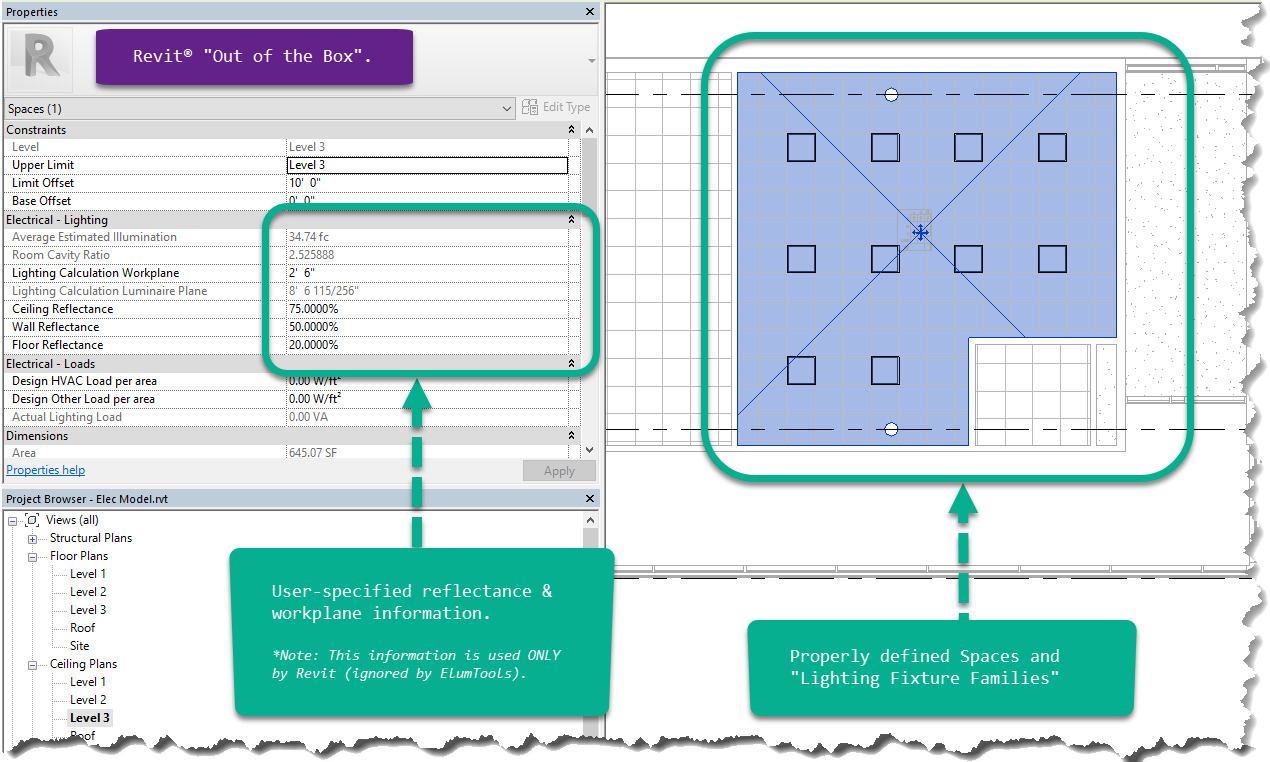
“Out of the box”, Autodesk Revit® has the ability to perform “Average Estimated Illumination Calculations” on a Space by Space basis. Under the hood, Revit estimates the average illumination using an implementation of the Zonal Cavity Method (also known as the Lumen Method). This provides an estimation of the Average Illuminance on a Horizontal Work-Plane using the inputs shown below.
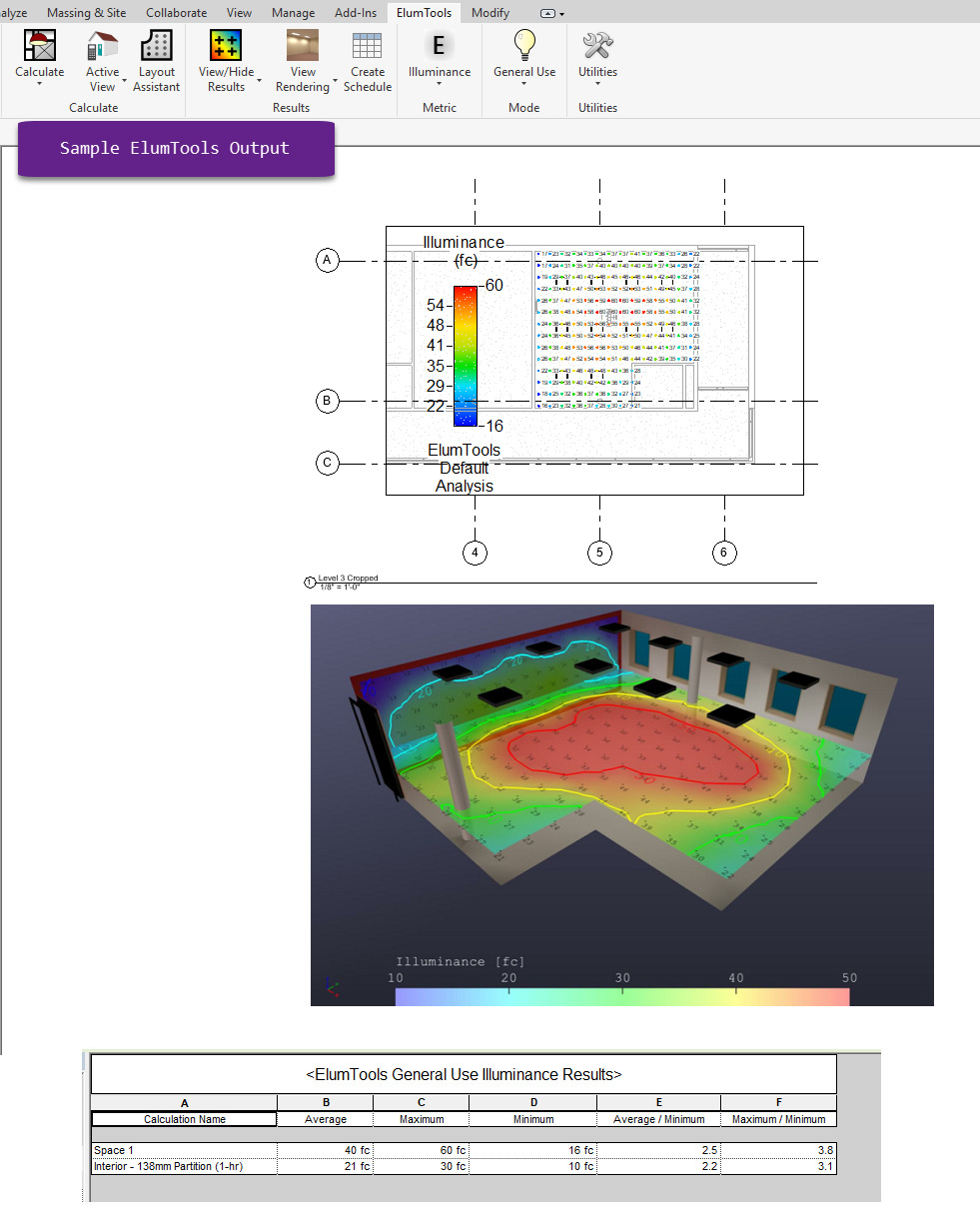
ElumTools exceeds this functionality and calculates light levels on a “point-by-point” basis using a method called Radiosity. This is quantified using a few different metrics, including: Illuminance, Exitance, Diffuse Luminance, Unified Glare Rating and Daylight Factor. Each of these metrics can be computed at any point (X,Y,Z coordinate) in the Revit model. This data can then be aggregated into other useful statistics such as Average Illuminance, Max/Min ratios, and more. This can then be presented in the Revit environment, using Sheets and Schedules, as shown below.